

OAuth (Recommended)
OAuth authentication is only supported with the hosted MCP server (
https://mcp.affinity.co/mcp). If you are running a self-hosted MCP server, use API key authentication instead.Authorizing Access
When you connect a supported client for the first time, you’ll be redirected to Affinity to authorize access. The OAuth consent screen shows the permissions being requested: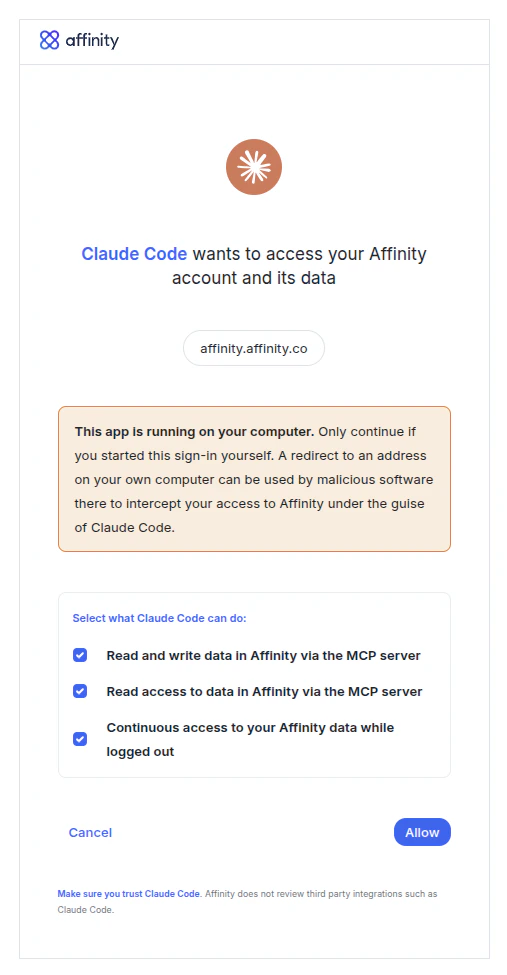
The Affinity OAuth consent screen showing requested permissions.
Managing OAuth Clients
Any admin can view and disable OAuth access for each client by navigating to Settings → Affinity MCP. These settings apply organization-wide for all users. On Enterprise plans, admins can scope this capability to specific roles via Settings → Users and Permissions → Roles → Manage MCP Agents.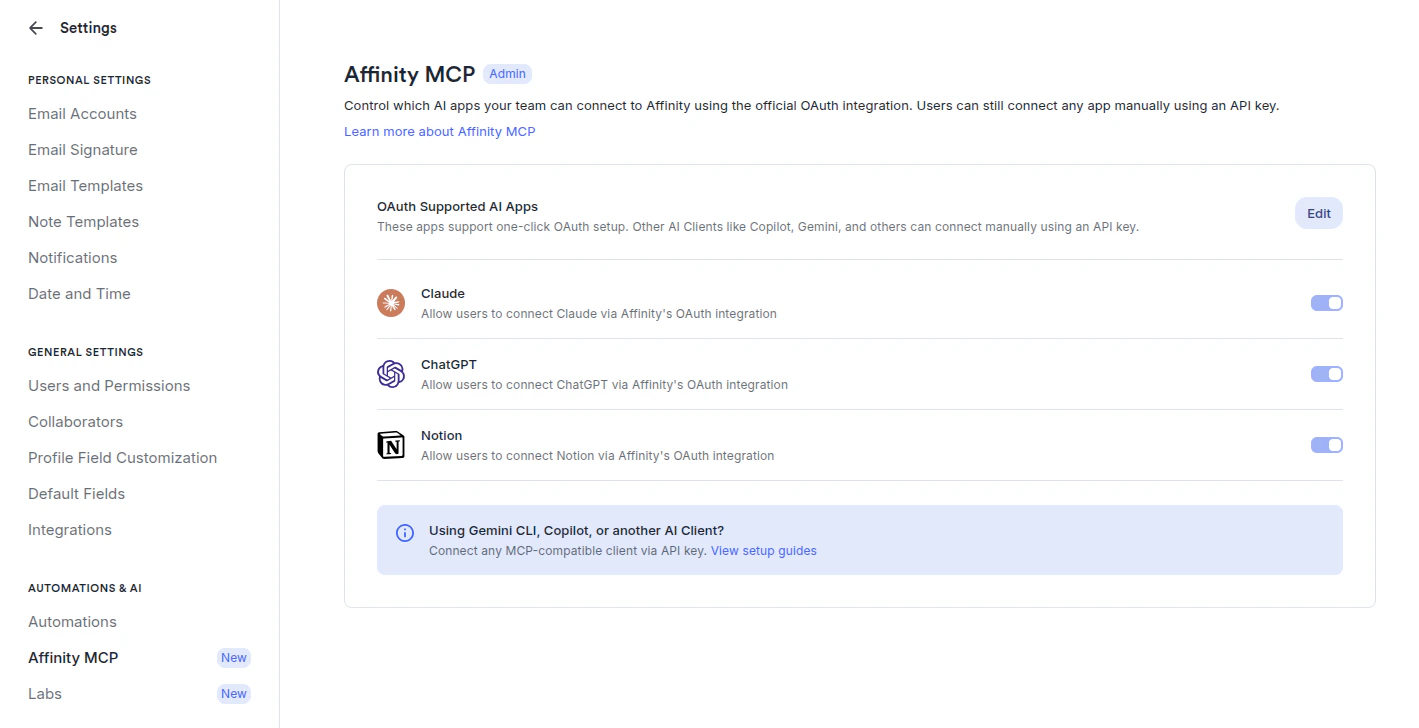
The MCP Settings page in Affinity, where admins can manage connected OAuth clients.
API Key
For clients that don’t support OAuth, or if you prefer to authenticate with a key directly, generate an Affinity API key and pass it as a Bearer token in your client configuration.Obtaining Your API Key
- Log in to your Affinity account
- Navigate to Settings → Manage Apps
- Click New App and enter a name (e.g. John’s MCP) and a description (e.g. API key for my MCP server connected to Claude). API version and IP Allowlist can be left blank.
- Copy the generated API key
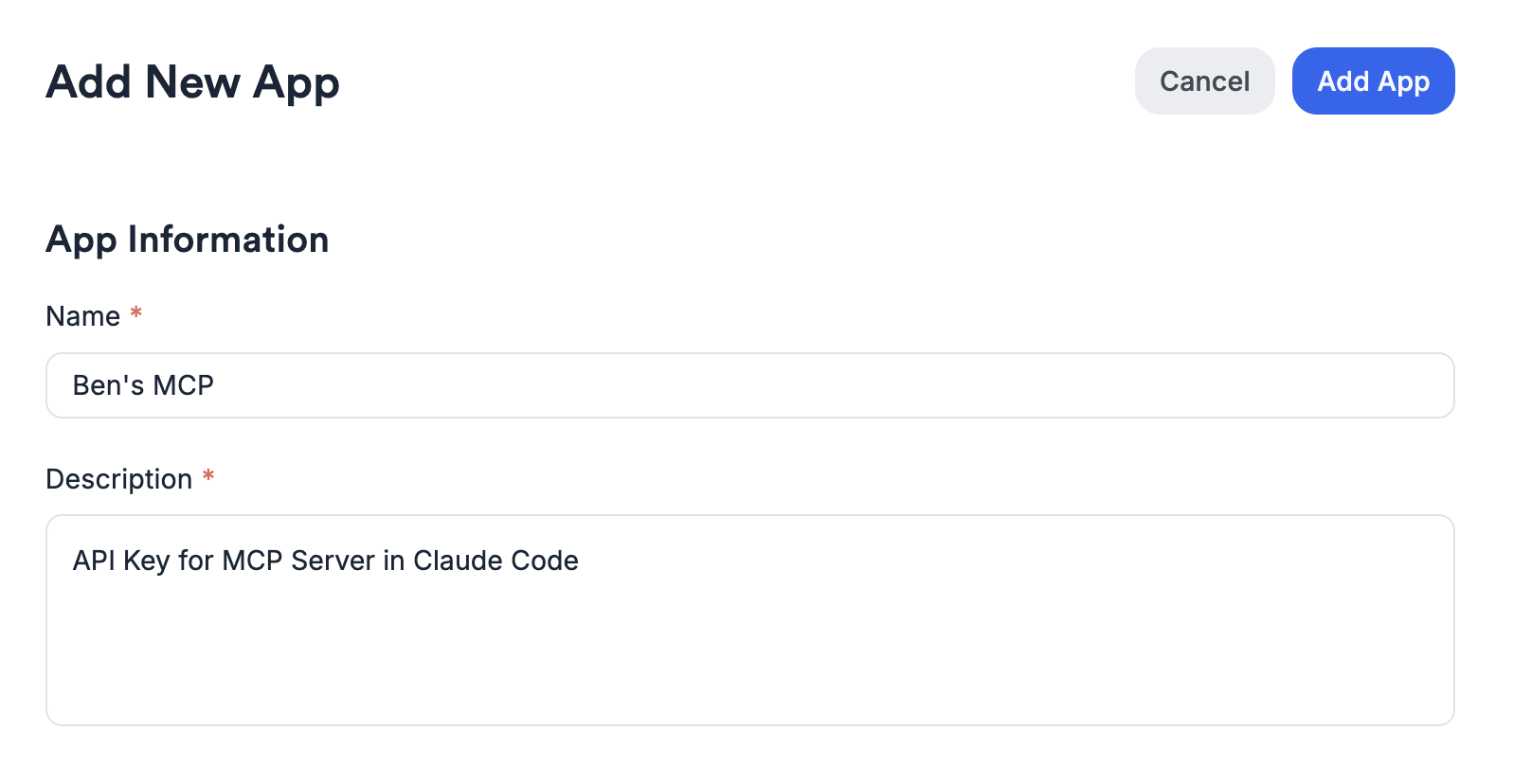
The Add New App dialog in Affinity Settings: name and description are required.